Every trip from Suzuki Connect
Upload the monthly trip export from the Suzuki Connect app. Nenpi merges the files into one history and shows how much, when and how efficiently you drive - right next to your car’s costs.
Nenpi never connects to Suzuki Connect and never asks for your password to it - you only upload a file you export yourself.
This is a year of driving after the import.
Example car, 01/01/2025 → 31/12/2025 - all figures are fictional
- Kilometres driven
- 12,000 km
- Average fuel use
- 6.30 l/100 km
- Trips
- 1,600
On average 7.5 km and 15 min per trip.
The short-trip tax
Split into trips shorter and longer than 3 km - roughly what it takes for the engine to reach operating temperature.
- shorter than 3 km9.00 l/100 km
- 3 km and longer6.00 l/100 km
- overall average6.30 l/100 km
30% of your trips are shorter than 3 km. That is 10% of the kilometres driven, but fuel use on them is 50% higher than on longer routes.
If those 480 trips burned as much as the longer ones, you would have used 36 l less.
What the import adds
Cost tracking works without it. The import adds a Driving tab to your vehicle, and one export is one month: the files merge into one history, and a trip uploaded twice counts once.
- Driving patterns
- Kilometres and trips month by month, and the days of the week and hours when you drive the most.
- Fuel use per trip
- How fuel use depends on speed and trip length, and what trips shorter than 3 km cost you.
- Seasonality
- Fuel use in each month of the year, so you can see what winter costs. It appears once you have a full year of data.
- Records
- Your longest days behind the wheel and cumulative mileage from the odometer.
How to export the file from Suzuki Connect
Four steps in the phone app. One export covers one month, so the first time round it is worth grabbing a few months back - Nenpi merges them into a single history anyway.
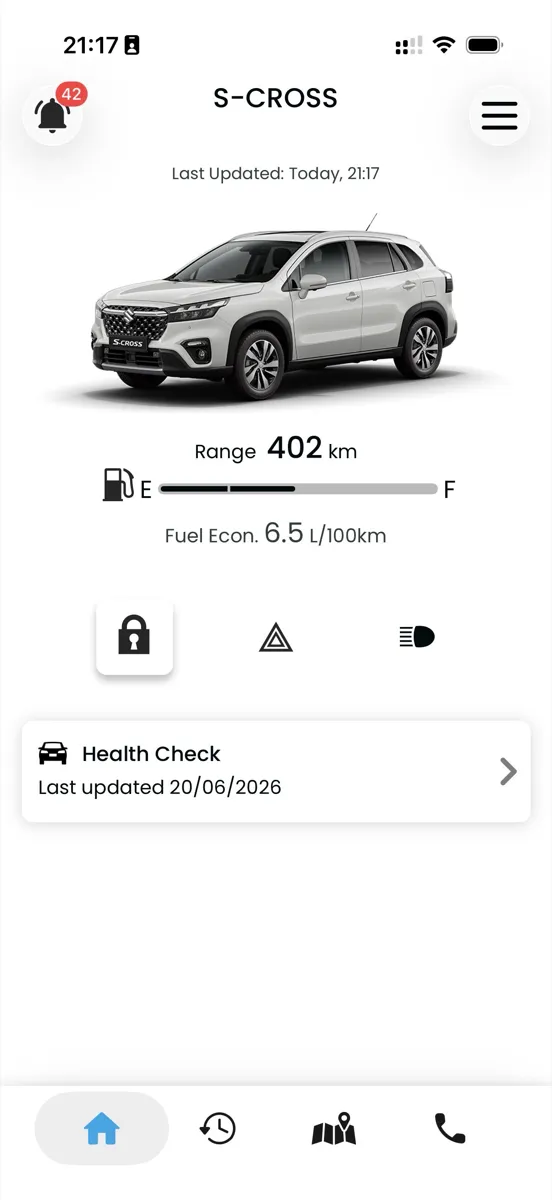
1. Open the driving history
In the bottom bar of Suzuki Connect tap the second icon from the left - the clock with an arrow. The screen is called “Driving History”.
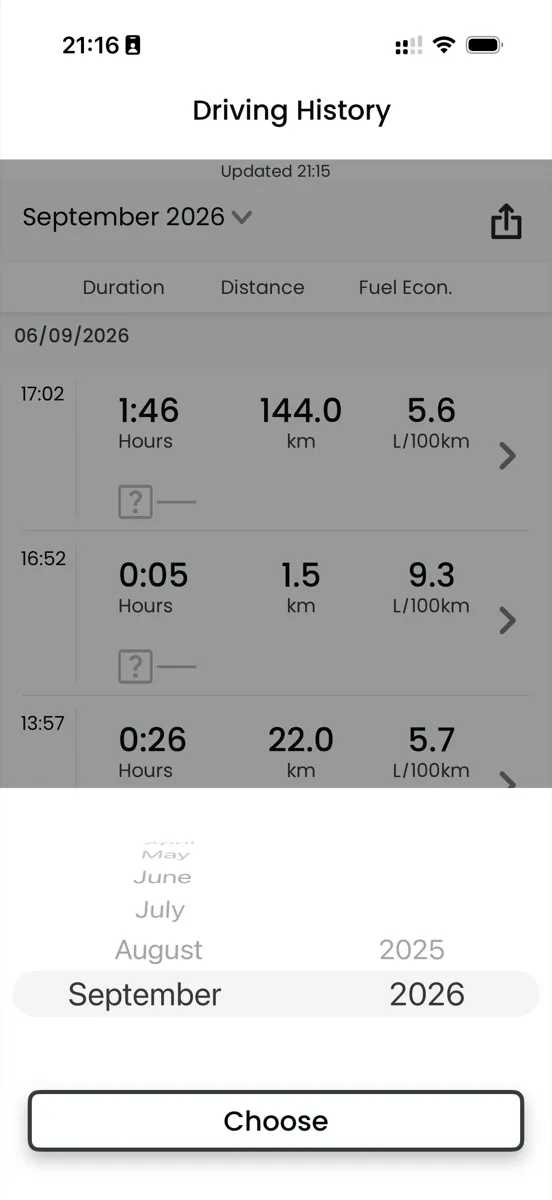
2. Pick the month
Tap the month name at the top of the screen, set the month and the year on the wheels and confirm with “Choose”.
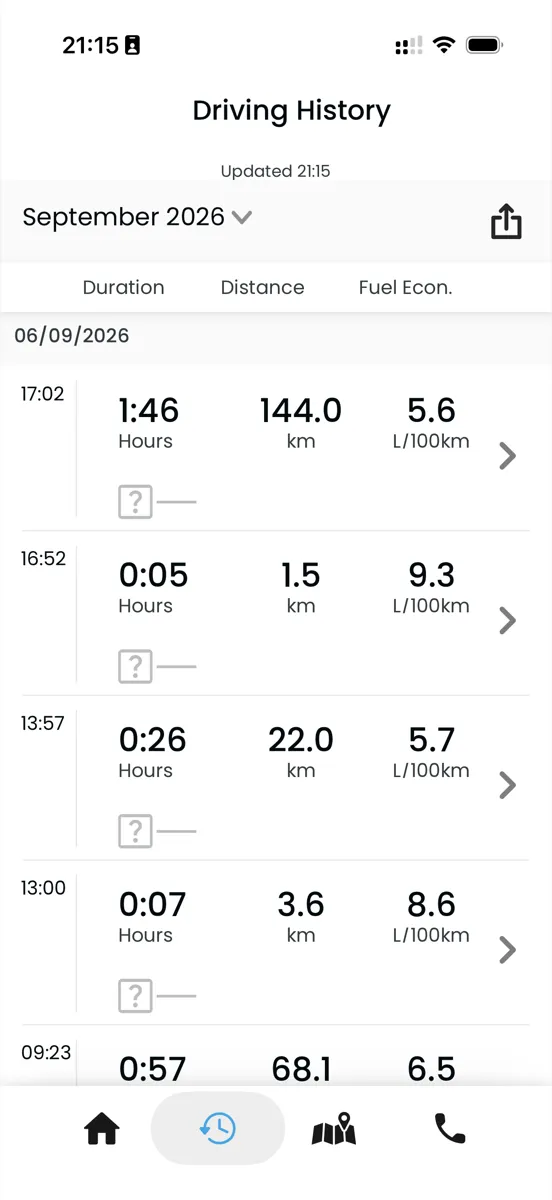
3. Tap the share icon
The icon sits in the top right corner, level with the month name. It is the one that prepares the CSV file for the month on screen.
4. Save the file on your phone
In the share sheet pick “Save to Files” or e-mail the file to yourself. It is called YYYY-MM_trip_history.csv - that is exactly the file you upload to Nenpi.
The screenshots come from an iPhone. On Android the layout may differ slightly, but the items are named the same.
What we have tested the import on
We have tested trip imports on a 2023 Suzuki S-Cross. The limits below apply only to Suzuki Connect files - you can track costs for any car brand.
- Other Suzuki models
- Vitara, Swift, Ignis, Jimny, Across, other S-Cross model years - they will most likely work, but nobody has checked yet.
- Miles and mpg
- Import accepts kilometres, with fuel consumption in litres per 100 km or in km/L - km/L is converted to l/100 km. A file using miles and mpg will be rejected.
- Electric vehicles
- A trip export from an electric car will be rejected because it has no fuel consumption column.
Got a different model, a different market or an EV? Try the upload and tell us what happened - or send just the first line of your file, the one with the column names, without a single trip: kontakt@nenpi.app
What happens to the file
- Nenpi does not store coordinates from a Suzuki Connect export - the parser reads the geo columns and throws the values away.
- The uploaded CSV file stays with us for 30 days, in case it has to be processed again, and then it is gone.